Your Menu.
Always Accurate.
Always Live.

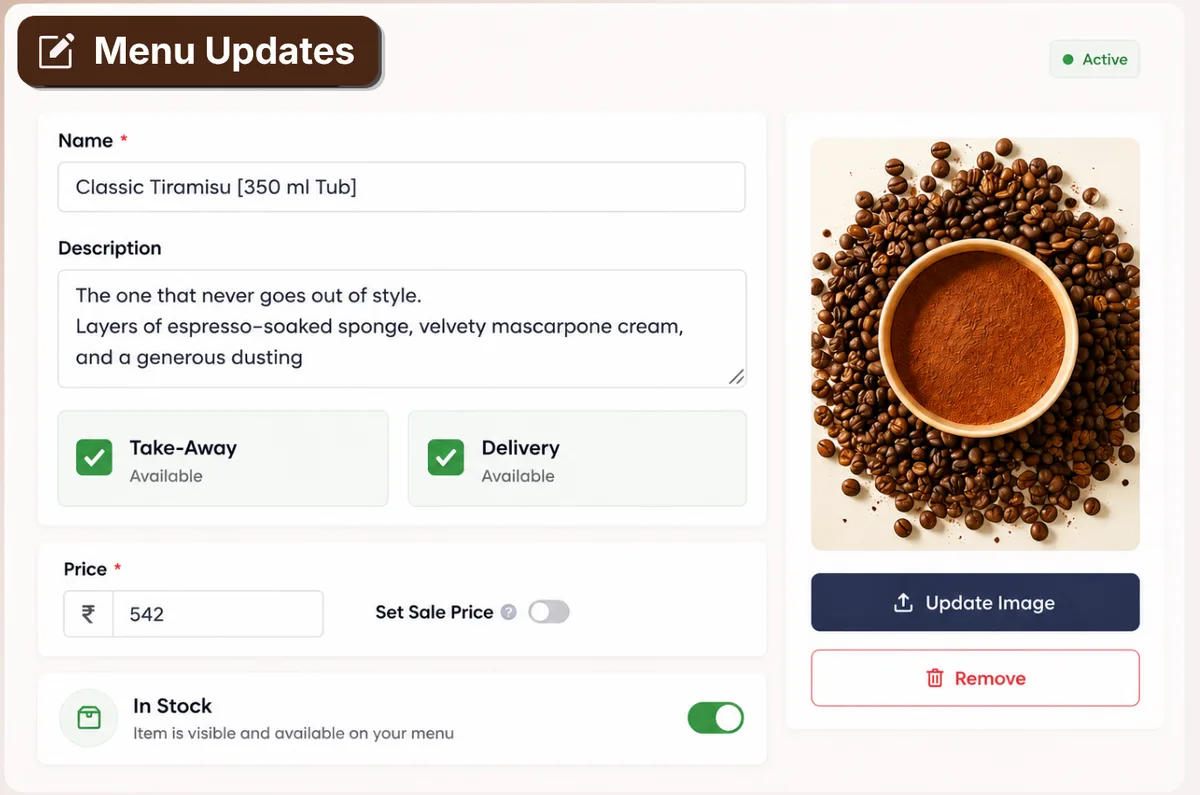
Update prices, add photos, mark items sold out, launch a seasonal special, or change an entire menu — in seconds, from anywhere. Your menu is always exactly what you want it to be.

Trusted by 5,000+ Brands

Frequently
Asked
Questions

How do I create and manage my menu?

You can create and manage your menu directly from the AirMenus Partner Dashboard. Add categories, products, pricing, descriptions, images, and availability in just a few clicks.

Can I update my menu in real time?

Yes. Any changes made to your menu are reflected instantly across your online ordering page, QR menu, and other connected AirMenus channels.

Can I temporarily mark items as Out of Stock?

Yes. You can mark individual items as Out of Stock at any time. Customers will no longer be able to order these items until they are made available again.

Can I schedule menu availability?

Yes. You can configure menu categories and individual items to be available only during specific days or time slots, such as Breakfast, Lunch, Dinner, or Happy Hours.

Can I manage multiple menus?

Yes. You can create and manage multiple menus for different outlets, brands, order types, or occasions from the Partner Dashboard.

Can I add images to my menu items?

Yes. You can upload high-quality images for menu items to make your menu more engaging and improve conversions.

Can I add product descriptions and dietary information?

Yes. You can add detailed descriptions along with dietary tags such as:

  • Vegetarian
  • Vegan
  • Jain
  • Egg
  • Spicy
  • Allergens
  • Chef's Recommendation
Can I customise pricing for different order types?

Yes. You can configure separate pricing for different order types such as Dine-in, Pickup, Delivery, and Room Service, where applicable.

Can I add product variations and add-ons?

Yes. You can create product variants such as size or portion and optional add-ons or modifiers with separate pricing.

Can I control the display order of menu items?

Yes. You can easily reorder categories and menu items to highlight your best-selling or featured products.

Can I bulk update my menu?

Yes. You can make bulk updates to your menu using CSV import and export, making it easy to update large menus quickly.

Can I manage menus for multiple outlets?

Yes. Each outlet has its own independent menu. You can manage all outlet menus from a single Partner Dashboard.

Can I preview my menu before publishing?

Yes. You can preview your menu before publishing to ensure everything appears exactly as intended for your customers.

Can I hide menu categories or products without deleting them?

Yes. Categories and products can be temporarily hidden without being permanently deleted, allowing you to make them visible again whenever required.

Is there a limit to the number of menu items I can add?

No. AirMenus does not impose a practical limit on the number of categories or menu items you can manage, allowing you to build menus of any size.

Can I display nutritional information for my menu items?

Yes. You can add nutritional information for individual menu items, including calories, protein, carbohydrates, fats, and other relevant nutritional details. This information is displayed alongside the item to help customers make informed choices.

How It Works ⚙️

1

Build Your Menu

Add items, photos, prices, descriptions, dietary tags and allergen info from your dashboard.

2

Customise & Brand

Add highlights, create variations, set up seasonal menus, configure time-based schedules.

3

Publish Live

Hit save — your menu updates across every table, QR code and device in under 30 seconds.

4

Track & Optimise

See which items get viewed most, what converts best, and where guests drop off — then improve.

Menu Management Works for Every Venue 🏪