WhatsApp has become a pivotal platform for businesses to engage with customers. With the advent of WhatsApp Business, personalization has emerged as a game-changer in creating meaningful connections and optimizing user experience.
Merchants can now connect their WhatsApp business manager account to AirMenus for their Marketing, Transactions and Customer Support.
Meta Business Manager
- You need an active Facebook business manager account to opt in for the integration.
- Your business manager account must be verified. Learn how to verify your business.
- To begin, access your business.facebook.com/overview by logging in with your credentials. If you haven't created an account yet, follow the easy sign-up process to get started.
- You will need the following information for your WhatsApp Business channel, be sure to have them on hand:
- Your brand's display name, shown to customers you chat with
- Your display name must somewhat match your business account setting
- Your brand's legal business name
- Your brand's official address
- Your brand's facebook page. If you don't yet have a Page for your business, create one
- Add people to your business manager with admin access to your WhatsApp Manager. Learn how to add people to Business Manager.
Phone number & Physical SIM
- WhatsApp does not allow existing active phone numbers to be used with vendor businesses. You will have to either deactivate the existing number from whatsapp or get a new phone number to integrate with AirMenus.
- The WhatsApp number integrated with AirMenus cannot be used on any other WhatsApp services.
- We recommend getting a new phone number for the integration. If you don't yet have a number, request one.
- A service provider in your locality will be assigned to complete your new number verification process.
- You will receive a physical sim. Your WhatsApp number needs to be kept active and operational with a mobile device.
- The phone number will be required for OTP verification while onboarding your WhatsApp account on AirMenus.
Connecting your WhatsApp account with AirMenus
1. Sign in to your Partner Dashboard
To begin, access your Partner Dashboard by logging in with your credentials. If you haven't created an account yet, follow the easy sign-up process to get started.
2. Go to the WhatsApp page
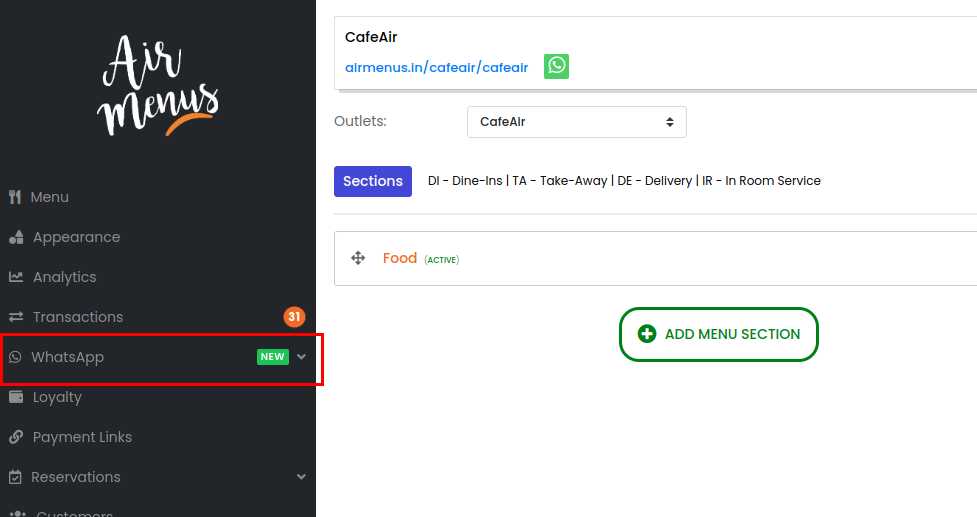
3. Click on Templates option
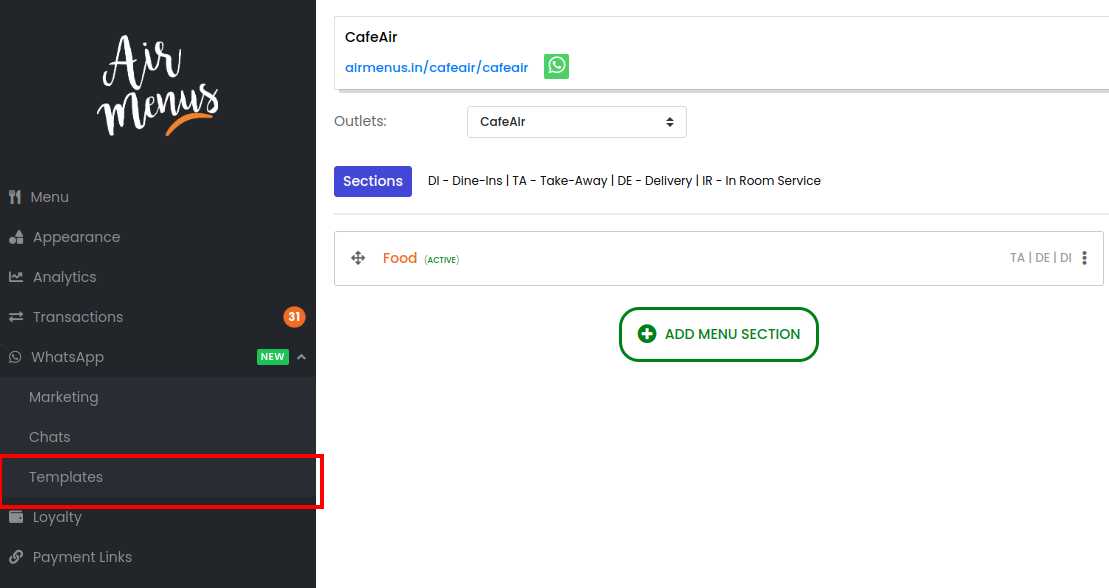
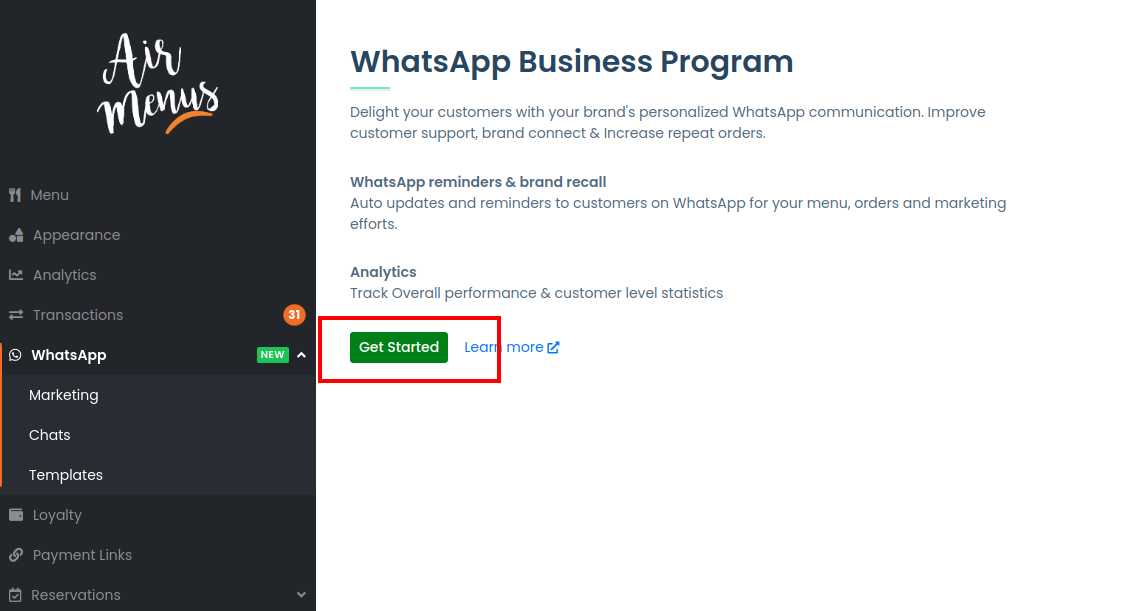
4. Click on Get Started
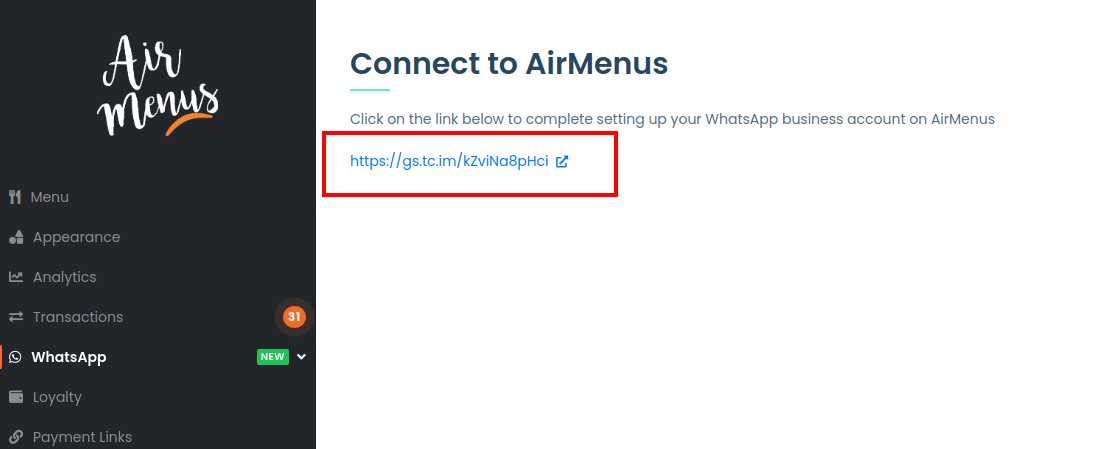
Selecting the option will generate a self-serve WhatsApp onboarding link.
5. Click the onboarding link
The link is generated by Meta to help you connect your WhatsApp account with AirMenus.
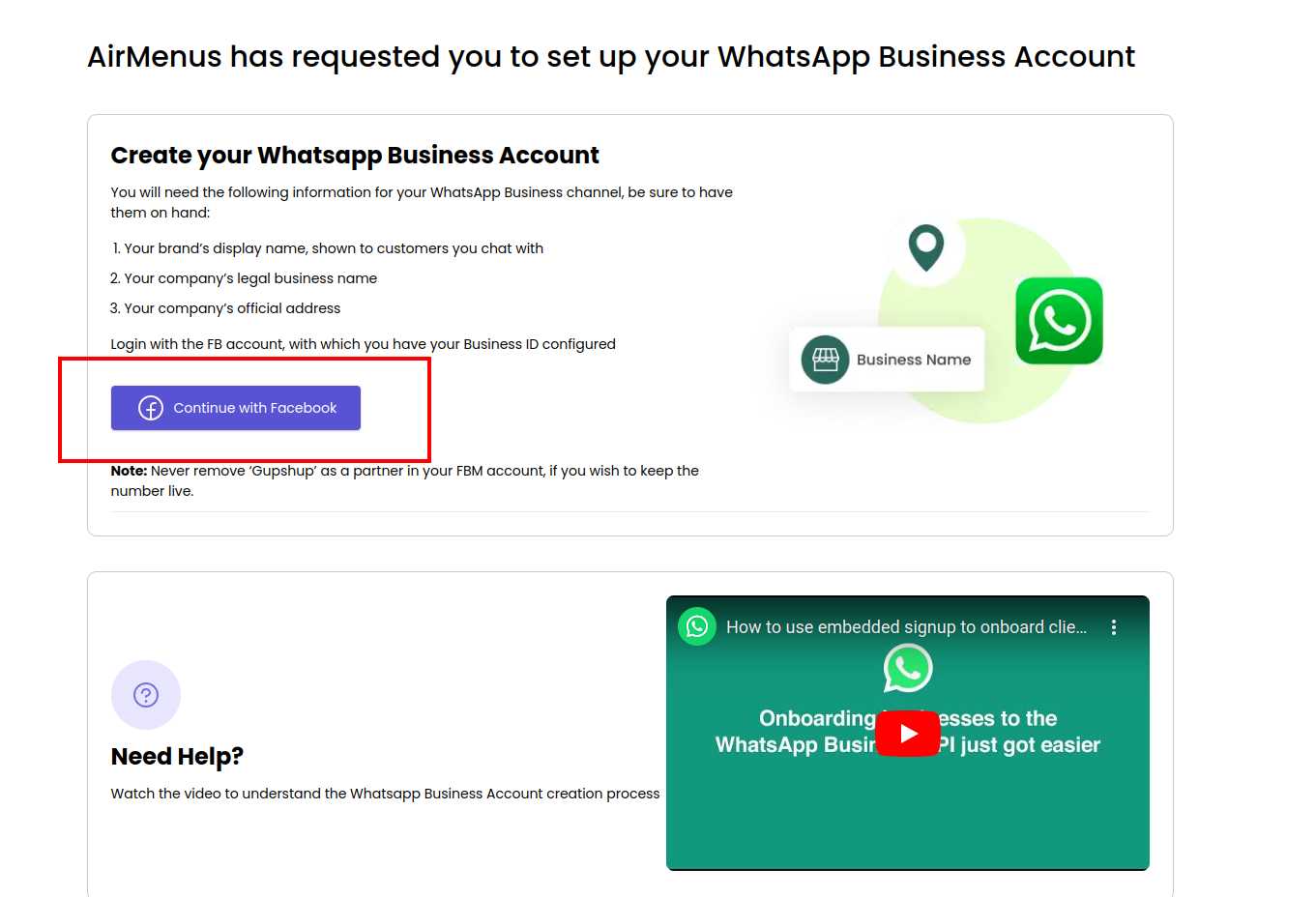
6. Click on 'Continue with Facebook'
Take a moment to review the helpful instructions provided on the page. There is also a short video to help you understand the process better.
The onboarding request will be sent to the Meta team for review. You will be notified if there is an issue.
Once your WhatsApp account onboarding is completed, you will be able to use your WhatsApp account on AirMenus.
If you need any help with your WhatsApp onboarding, connect with the AirMenus Support team.