Unleashing the Power of Google Reviews: A Step-by-Step Guide
Online reviews have become an essential part of establishing trust and credibility for businesses in today's digital landscape. Google Reviews, in particular, can greatly impact a business's online reputation and visibility. In this article, we will walk you through a simple step-by-step process to generate a Google review link for your business, empowering you to actively engage with your customers and boost your online presence.
Here are your various options on how to get your Google review link:
Get a Review Link From Google Search
1. Sign in to your Google My Business Account
To begin, access your Google My Business account by logging in with your credentials. If you haven't created an account yet, follow the easy sign-up process to get started.
2. Search for your Business
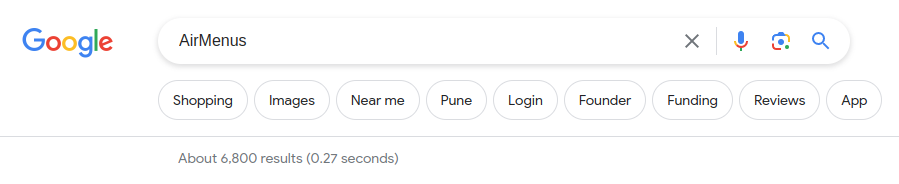
Go to Google and search for your business on Google by entering your business name.
3. Click 'Ask for reviews'
In the list of options on your Google business Profile, you will find an option to 'Ask for reviews'.
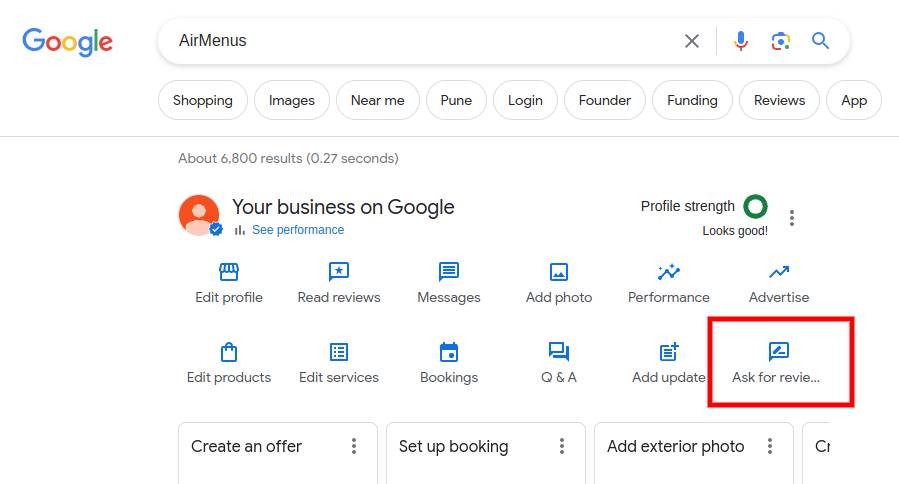
4. Click the box and copy the generated link
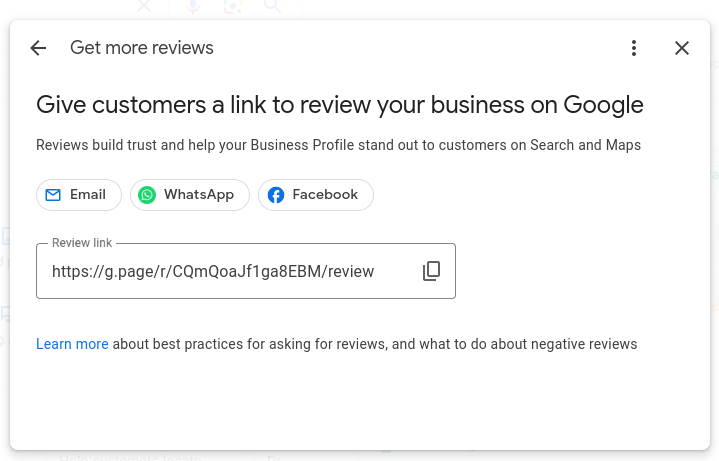
Get a Review Link From Your Google My Business Account
1. Sign in to your Google My Business Account
To begin, access your Google My Business account by logging in with your credentials. If you haven't created an account yet, follow the easy sign-up process to get started.
2. On the homepage, scroll to the Get more reviews box and click 'Share review form'
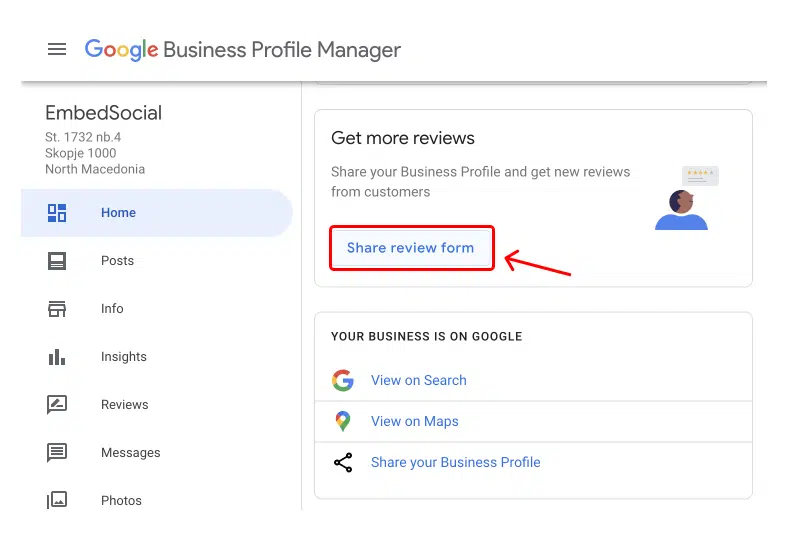
3. Click the box and copy the generated link
This link redirects your customers to your business on the Google Maps app where a popup will appear so they can immediately submit their review.
Your customers don't need a Gmail address to leave a review if they sign in to their Google Account.
How to get more Google reviews
With your generated review link in hand, you can easily distribute it across various customer touchpoints.
- Incorporate the link into your website, email signatures, social media profiles, or any other communication platforms you utilize to connect with your customers.
- Generate a QR code with your review link and print it on your menus, tables, posters, or standees.
- Send your review link to your customers on WhatsApp or SMS.
- Verify your Google My Business profile so that your business information shows up on Maps, Search, and other Google services. To respond to a review, you must have a verified business.
- Encourage your customers to leave their feedback, making it convenient for them to contribute to your online reputation.
- Share your positive reviews on your social media platforms to encourage more reviews.
Make it easy to collect Google Reviews on your AirMenus digital menu
Putting the Google Review link on your digital menu is a great way to make it easier for your customers to leave feedback.
Here's how you can enable a tab on your AirMenus link:
1. Sign in to your Partner Dashboard
To begin, access your Partner Dashboard by logging in with your credentials. If you haven't created an account yet, follow the easy sign-up process to get started.
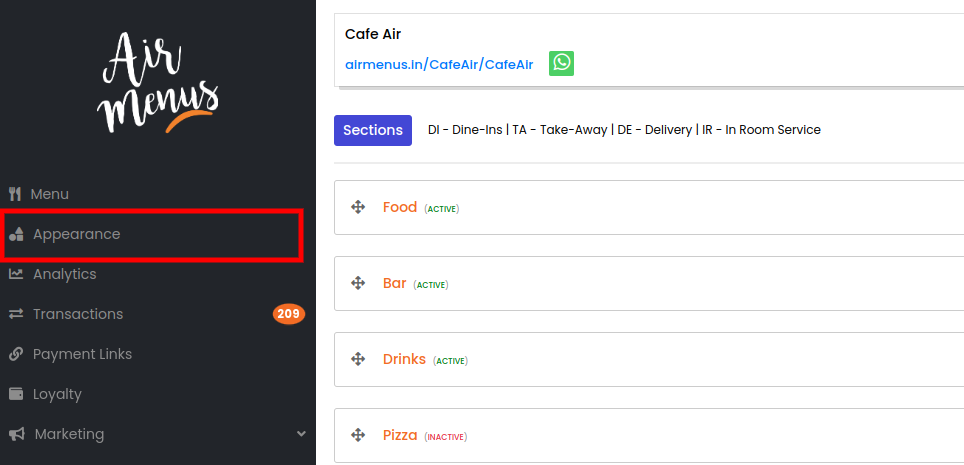
2. Go to the Appearance Settings
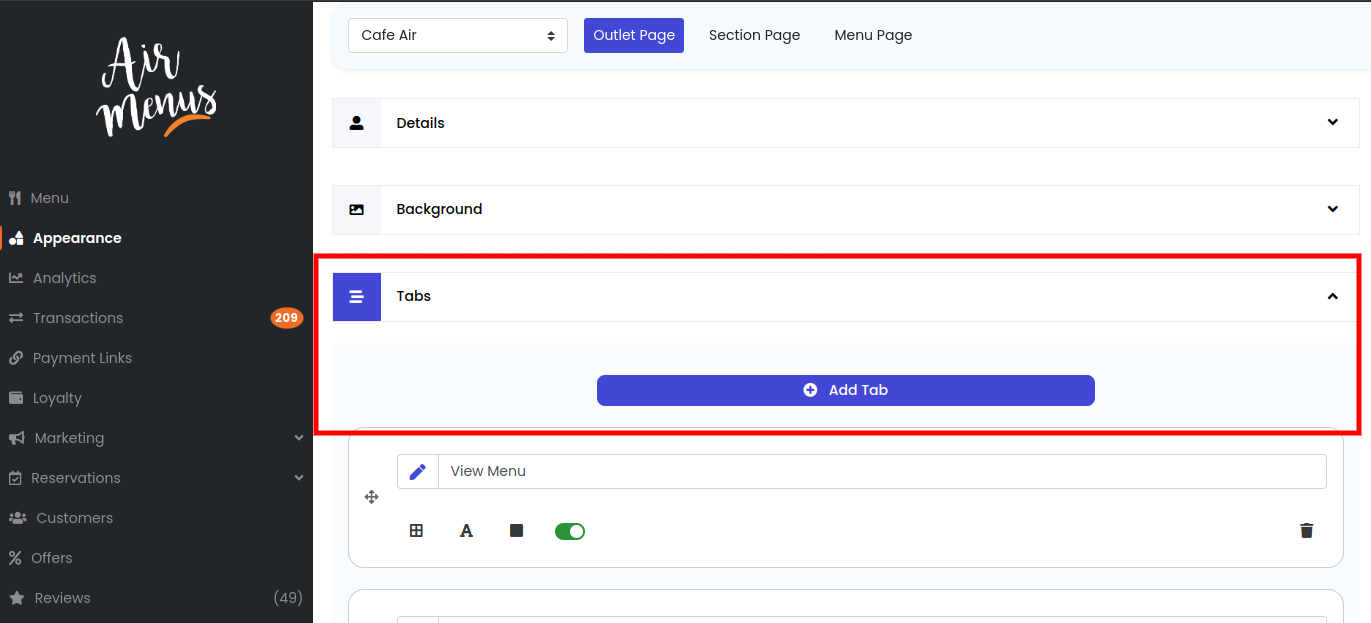
3. Open the 'Tabs' section and click on 'Add Tab'
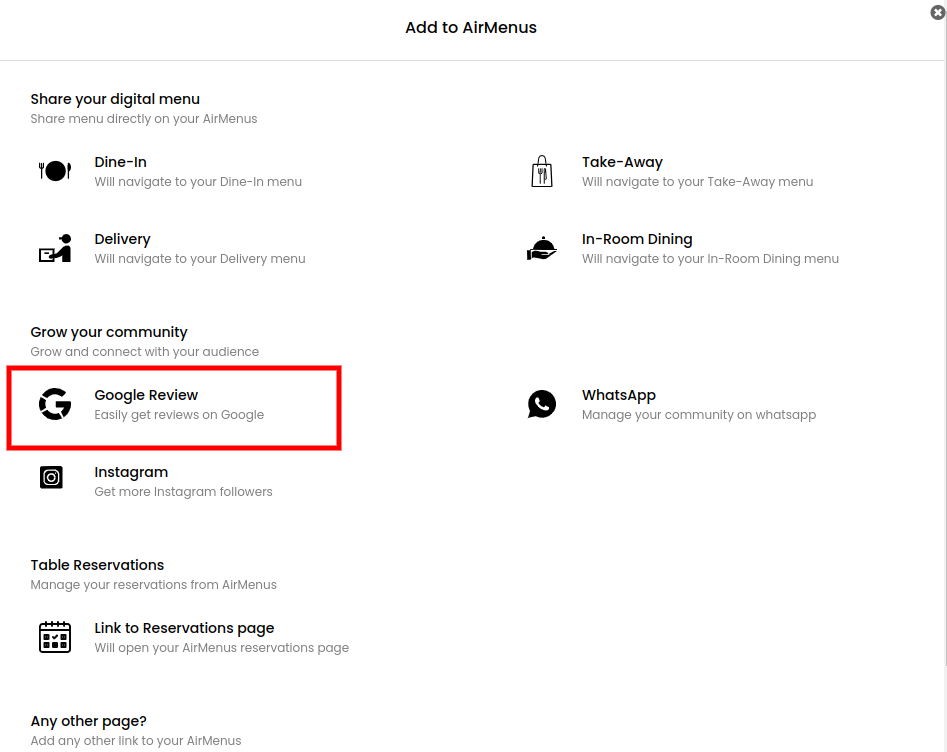
4. On the popup select 'Google Review'
Selecting the option automatically adds the tab to your AirMenus link.
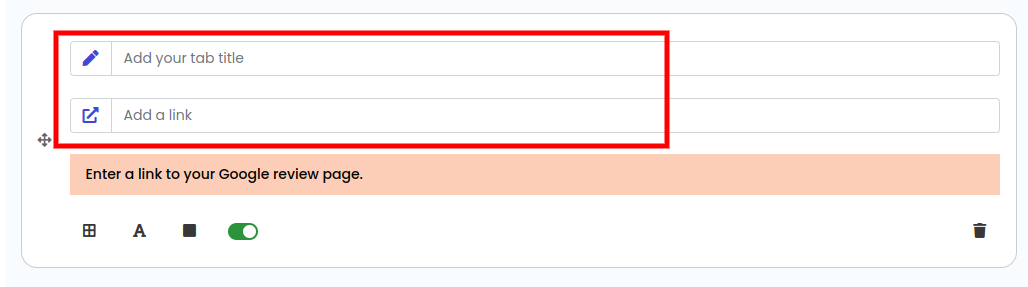
5. Enter a title for your tab and paste your Google Review link
Your tab title can be something as simple as 'Leave us your Feedback'. In the add a link field paste your Google Review link which you had copied earlier.
Your tab, with your Google Review link, will automatically be live on your AirMenus digital menu.
Key Takeaways
Harnessing the potential of Google Reviews can significantly enhance your business's online presence and build credibility among your target audience. By following these simple steps to generate a Google review link, you can empower your customers to share their experiences and help your business thrive in the digital realm. Embrace the power of customer feedback and watch your business flourish!