
Launch your Loyalty Program on AirMenus
We are happy to release the much-awaited functionality of the Loyalty Program. You can find it in the AirMenus dashboard under the tab "Loyalty".
Your customers can earn points when they place an order with your brand and redeem them from their wallet balance on future orders.
You get complete control over your loyalty program settings and analytics.
Highlights
Easy set-up. 7 days free trial
Set up your loyalty program with a few easy steps and get started.
WhatsApp reminders & brand recall
Auto-updates and reminders to customers on WhatsApp 48 hrs and 24 hrs before their points expire.
Analytics
Track overall performance & customer-level loyalty statistics.
Customer front
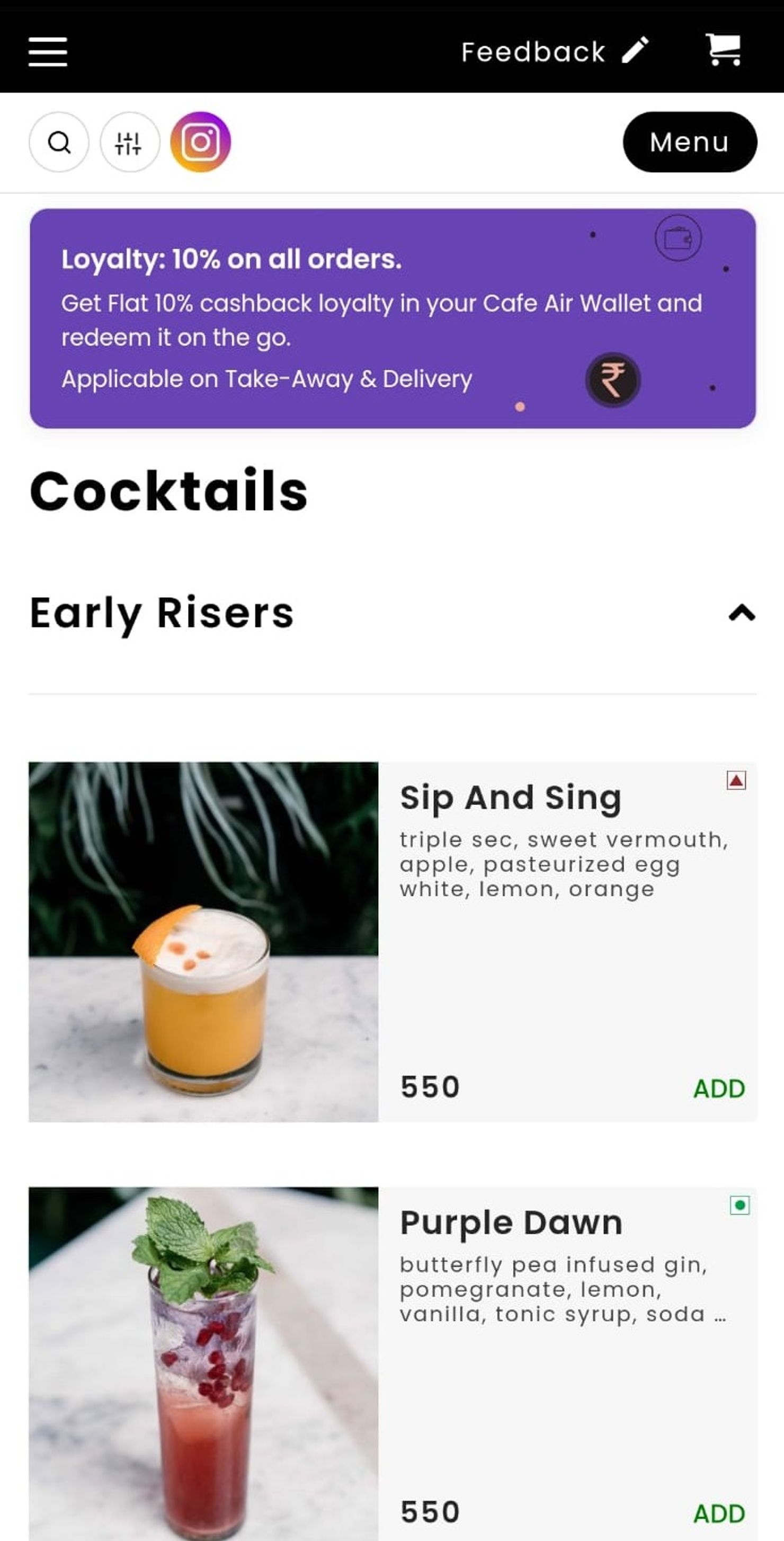
Once your loyalty program is active, it is shown on your menu to communicate with your customers. Refer to the image below.
Customers can tap on the box to learn more about your brand's loyalty program.
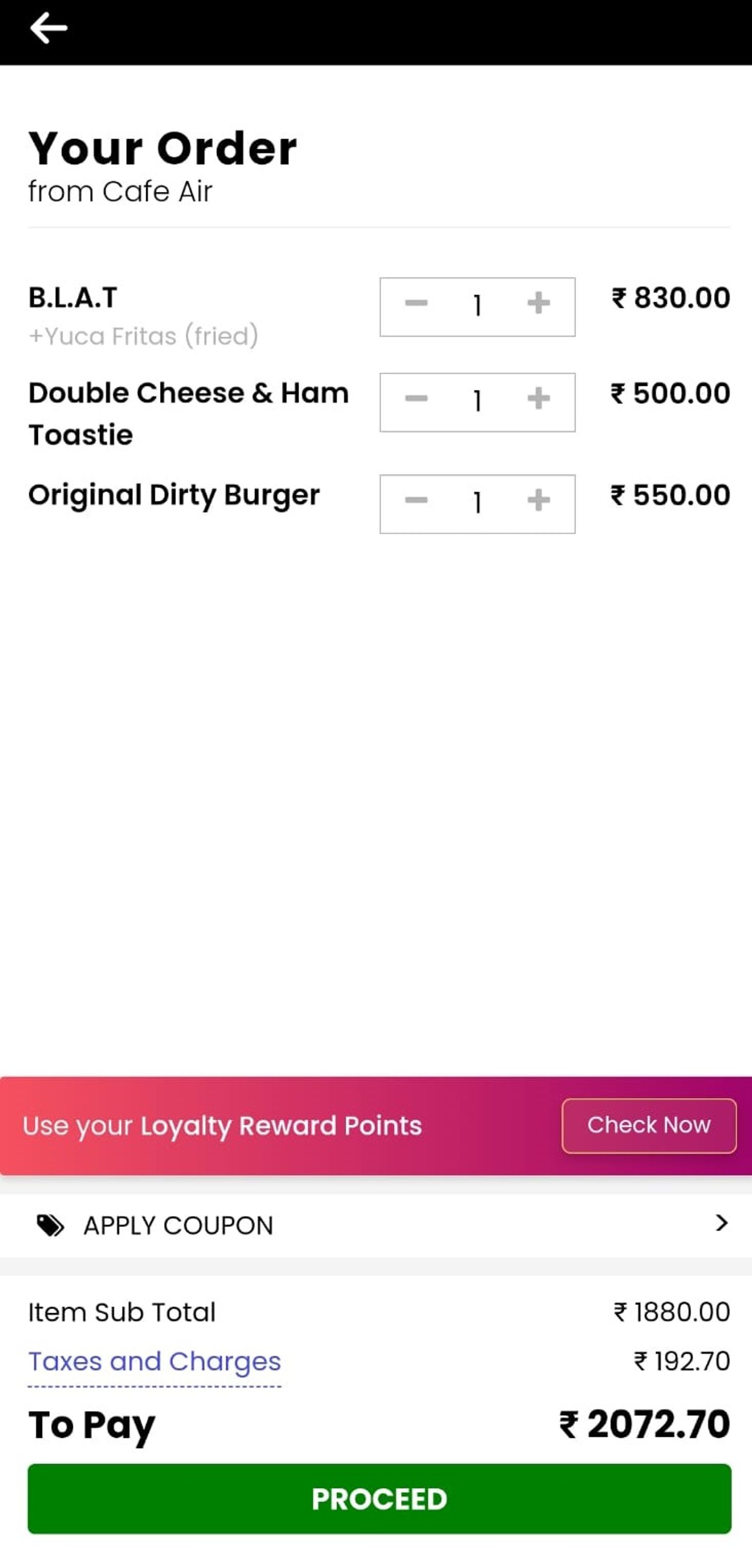
Once the customer adds items to the cart they can apply their Loyalty Points on the cart page (refer to the image below).
The customer is verified using their phone number with an OTP and their wallet balance is shown.
They can choose to apply their points (if available) and proceed.
Customers receive updates on WhatsApp about their earned loyalty points after placing their order, and reminders about their loyalty points expiry.
If you are a registered AirMenus Partner and need help setting up your Loyalty Program, connect with AirMenus Support team.